
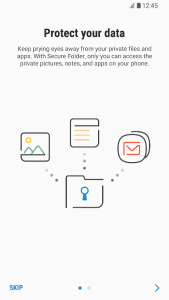
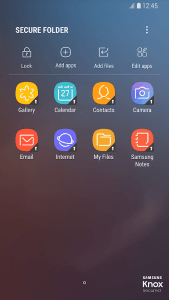
Secure Folder provides a sophisticated sanctuary for your most sensitive data, leveraging high-level encryption to shield files from unauthorized access. By creating a private, password-protected space on your Android device, this solution ensures that personal photos, documents, and even entire apps remain completely isolated from the rest of the system. It offers essential peace of mind for users who frequently share their phones or simply want an extra layer of defense against digital intrusions.
Advanced Encryption Standards
The tool utilizes the robust Samsung Knox security platform to encrypt every piece of data stored within its boundaries. This means that even if someone gains access to the unlocked device, they cannot view the contents of the protected area without a specific PIN, pattern, or biometric authentication. This mechanism provides a military-grade shield that is particularly useful for storing bank statements or confidential work contracts that require absolute privacy.
Seamless App Cloning Capabilities
One of the most versatile features of this solution is the ability to clone existing applications into the protected environment. This allows you to maintain two separate accounts for social media or messaging platforms simultaneously, keeping your private life distinct from your professional one. For instance, you could run a personal WhatsApp account inside the vault while keeping your business profile on the main home screen without any data overlapping between them.
Intuitive Stealth Mode Options
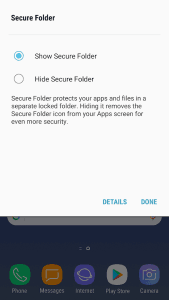
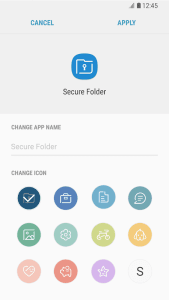
To further enhance privacy, the utility allows you to hide its icon from the app drawer entirely or rename it to something inconspicuous. By disguising the entry point, you prevent others from even knowing that a hidden vault exists on your phone. This is an excellent tactic for users who want to avoid awkward questions when lending their device to friends or family members for a quick phone call or web search.
Cloud-Based Data Recovery
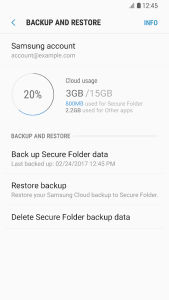
While the primary focus is on local isolation, the platform offers a secure backup and restore option linked to your cloud account. This ensures that your encrypted files are not lost if you upgrade to a new device or perform a factory reset. By using Secure Folder, you can rest assured that your sensitive information is synced safely, allowing for a smooth transition between hardware while maintaining the same rigorous level of protection for your digital assets.
Biometric Authentication Integration
Accessing your hidden content is both fast and secure thanks to the deep integration with modern hardware sensors. You can choose to unlock the space using your fingerprint or iris scan, providing a frictionless user experience that does not compromise on safety. This is particularly handy when you need to quickly check a private document on the go, as it eliminates the need to type out long, complex passwords in public spaces.










Write a review